Repurposing a Panther X2 Helium Miner: Running Armbian on a Dead Crypto Box
How I turned a dead Helium miner into a capable ARM Linux server by flashing Armbian directly to eMMC over SSH.
Repurposing a Panther X2 Helium Miner: Running Armbian on a Dead Crypto Box
I bought a Panther X2 when Helium was still making sense. It sat on a shelf earning fractions of a cent per day, then eventually just sat on a shelf. When Helium’s economics collapsed I was left with a small black box that was drawing power and doing nothing.
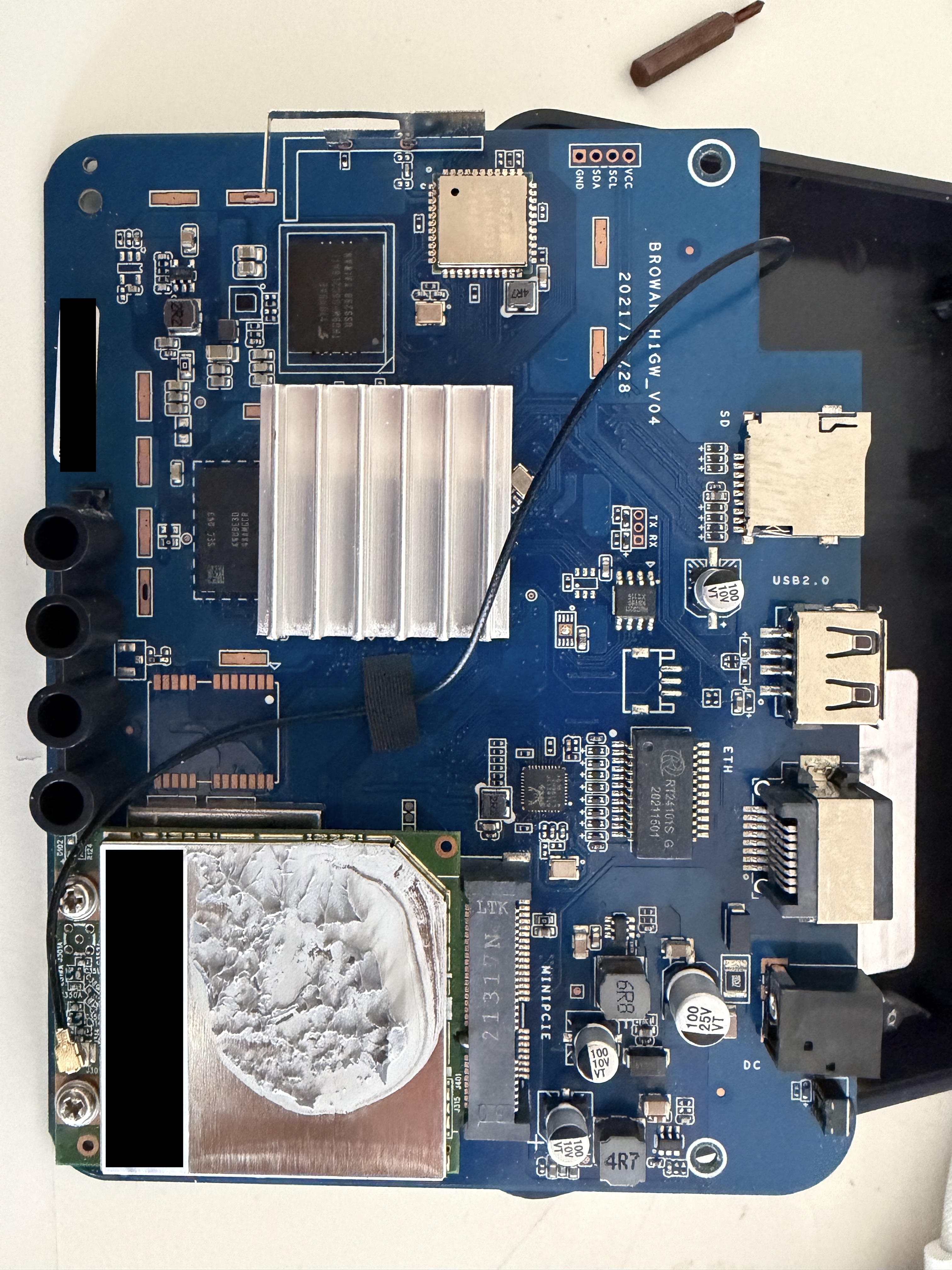
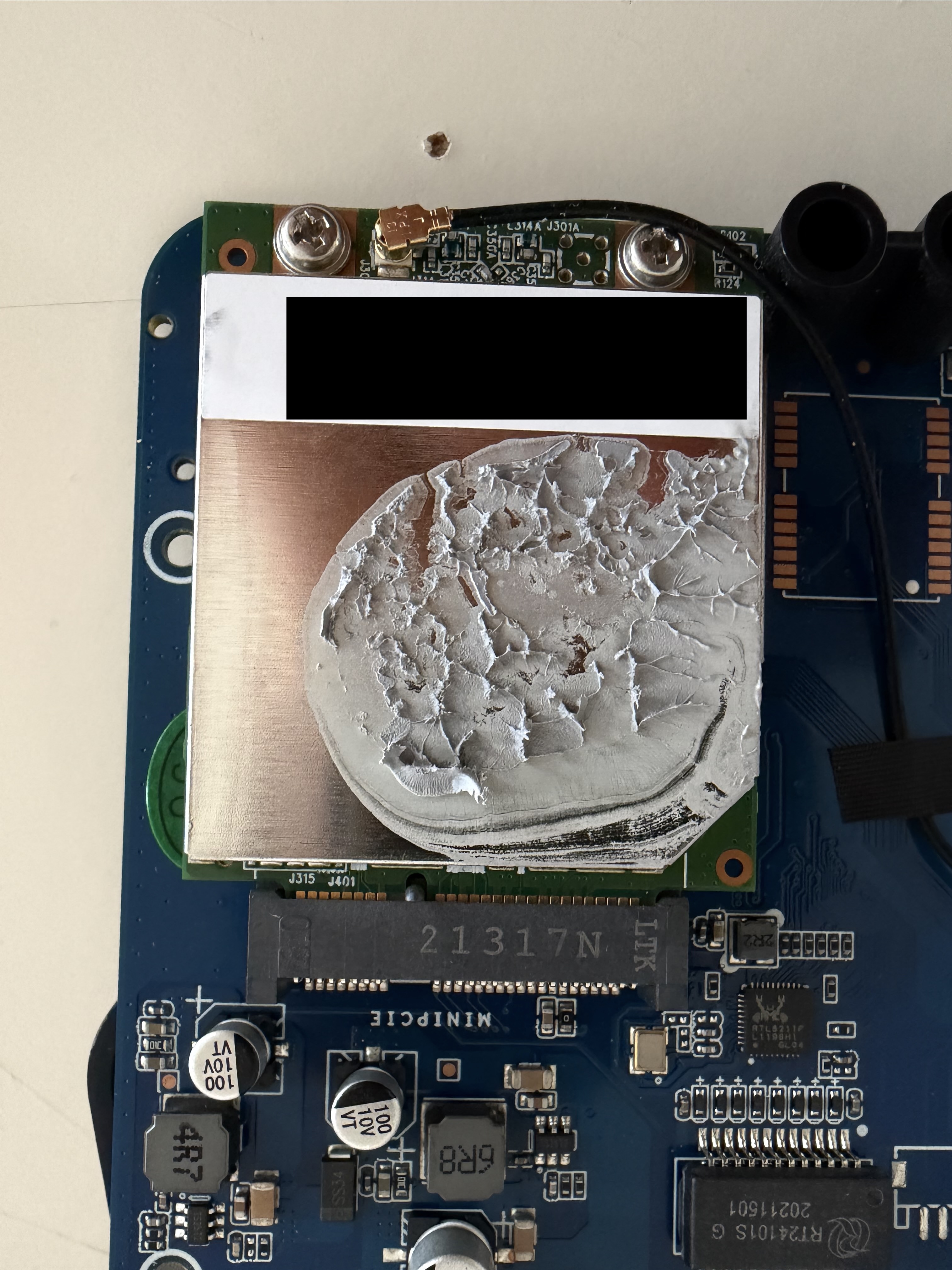
Before throwing it out, I opened it up. What I found inside changed my mind: a Rockchip RK3566, quad-core ARM Cortex-A55 at 1.8 GHz, 4 GB of RAM, and 32 GB of eMMC storage. That’s a legitimate ARM single-board computer — the same class of hardware as a Raspberry Pi 4. It was just running crypto firmware.
This is a guide to turning it back into a general-purpose Linux machine. If you’re searching for “Panther X2 repurposing” and finding nothing, you’re in the right place — I couldn’t find anything either, which is why I wrote this.
What You Actually Have
Before doing anything, it’s worth understanding the hardware:
| Component | Detail |
|---|---|
| SoC | Rockchip RK3566 — Quad-core ARM Cortex-A55 @ 1.8 GHz |
| RAM | 4 GB LPDDR4 |
| Storage | 32 GB eMMC (internal) + microSD slot |
| Network | Gigabit Ethernet + WiFi |
| Board | BROWAN H1GW V04 |
| Original OS | Helium miner firmware, Debian 10 Buster, kernel 4.19 |
The board is manufactured by BROWAN, a Taiwanese IoT hardware company. The H1GW designation stands for Helium 1 Gateway. It’s a real piece of hardware built for a real purpose — it just happens that the purpose is no longer economically viable.
Step 1 — Back Up the eMMC First
The original Helium firmware is on the internal eMMC. Before touching anything, I made a full backup. This turned out to be a good idea — if something goes wrong during flashing, you can restore the original OS and start over.
The device is running when you do this, so you can stream the entire eMMC over SSH directly to your Mac, compressed on the fly:
ssh admin@<ip> 'sudo dd if=/dev/mmcblk0 bs=4M 2>/dev/null | gzip -1' \
  > emmc_backup_panther_x2.img.gz
A few things to know about this command:
- The default SSH credentials on the original firmware are
admin/admin adminhas full passwordless sudo, so this just works- 32 GB of eMMC compresses down to about 3.8 GB
- It takes around 40 minutes — the bottleneck is eMMC read speed and gzip CPU on the RK3566, not your network
To restore later if needed:
gunzip -c emmc_backup_panther_x2.img.gz | sudo dd of=/dev/rdiskX bs=4mStep 2 — Why the SD Card Doesn’t Work
My first instinct was to flash Armbian to an SD card and boot from it — the standard approach for most ARM boards. It doesn’t work on the Panther X2.
The RK3566 bootloader on the eMMC takes priority over the SD card. When the device powers on, it finds a valid bootloader on eMMC and ignores everything else. I confirmed this by flashing Armbian to an SD card, inserting it, and watching the device boot straight into the original Helium OS:
OpenSSH_7.9p1 Debian-10+deb10u2I spent some time looking for a way to force SD boot — a button combination, a bootloader menu, a pin to short. There isn’t one that I could find, at least not without opening the case and getting into JTAG territory.
The good news: you don’t need SD boot. There’s a simpler way.
Step 3 — Flash Armbian Directly to eMMC Over SSH
Since the device was still running and I had SSH with full sudo, I could write directly to the eMMC from my Mac — streaming the Armbian image over the network while the device was live.
First, I found a community Armbian build compiled specifically for the Panther X2 by lintao1890. Without his work, none of this would have been possible — he built and maintains pre-compiled Armbian images for this exact board, since the Panther X2 isn’t in the official Armbian tree. Big thanks to him. Grab the image from their releases page.
curl -L -o Armbian_24.2.0_rockchip_panther-x2_jammy_6.1.74_server_2024.01.22.img.gz \
  https://github.com/lintao1890/panther-x2-armbian/releases/download/Armbian_jammy_save_2024.01/Armbian_24.2.0_rockchip_panther-x2_jammy_6.1.74_server_2024.01.22.img.gz

gunzip Armbian_24.2.0_rockchip_panther-x2_jammy_6.1.74_server_2024.01.22.img.gz
Then I streamed it directly into the eMMC over SSH:
cat Armbian_24.2.0_rockchip_panther-x2_jammy_6.1.74_server_2024.01.22.img \
  | ssh admin@<ip> 'sudo dd of=/dev/mmcblk0 bs=4M conv=fsync'
The transfer took about 12 minutes at ~4.1 MB/s. When it finished, the SSH connection dropped — which is expected, because the running OS disk had just been overwritten. Before the connection dropped, dd reported:
2969567232 bytes (2.8 GB) copiedThat matched the exact image size. The flash succeeded.
Important: verify the byte count in
dd’s output before assuming success. If the full image size was written, the flash worked even if SSH drops mid-output.
Step 4 — First Boot
Power cycle the device. Armbian boots from eMMC and gets a new IP via DHCP — check your router to find it.
Default credentials on first Armbian boot are root / 1234. Armbian forces a password change on first login.
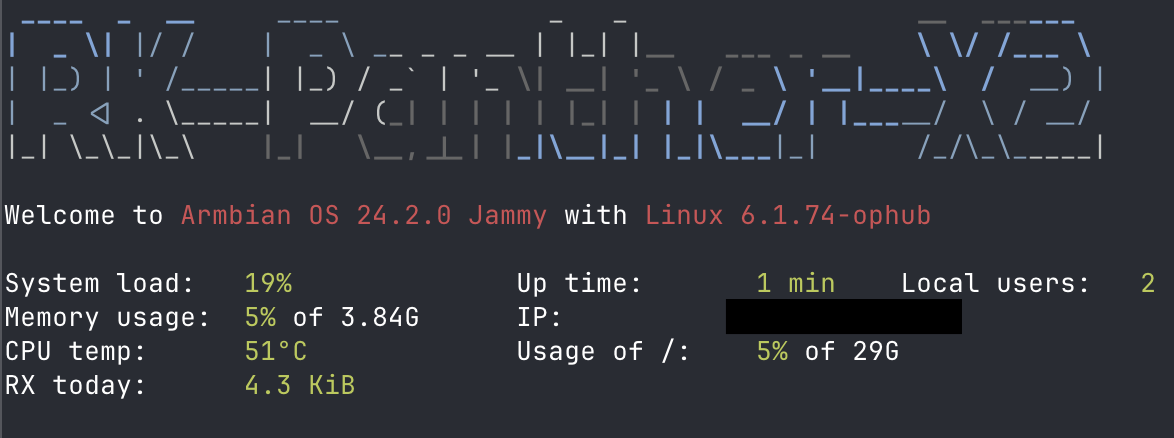
Welcome to Armbian OS 24.2.0 Jammy with Linux 6.1.74-ophub

System load:   19%              Up time:  1 min
Memory usage:  5% of 3.84G     IP:       192.168.0.23
CPU temp:      51°C             Usage of /:  5% of 29G
One SSH quirk I ran into: the device sometimes hangs on authentication negotiation. If SSH seems to connect but then stalls, pass these flags:
ssh -o GSSAPIAuthentication=no -o PreferredAuthentications=password \
    -o PubkeyAuthentication=no root@<ip>
What to Do With It Now
With Armbian running, the Panther X2 is a capable headless ARM Linux server. Some things I’d consider:
- Home server — lightweight web server, file server, or self-hosted apps via Docker
- Pi-hole — DNS ad blocker; the 4 GB RAM is overkill for this but it works perfectly
- Build box — ARM native compilation for aarch64 targets, cross-compilation testing
- VPN endpoint — WireGuard runs well on RK3566; turn it into a home VPN server
- Home automation — Home Assistant or similar; again, plenty of RAM headroom
One thing it won’t do: video output. The RK3566 has an HDMI controller but the Panther X2’s PCB doesn’t break out an HDMI port — it was designed as a headless device. You can run a desktop environment over VNC, but there’s no physical display output.
The eMMC backup is worth keeping. If you want to explore what the original Helium firmware was doing under the hood — or restore the device to stock — it’s a complete snapshot of the original system.